CookyfaiYour AI
sous-chef
Recipes built around what's in your fridge, what you love and your goals. Scan your shelves, cook something good and keep track of what you eat, all in one app.
One app for the whole kitchen
From your fridge to your plate, without the guesswork
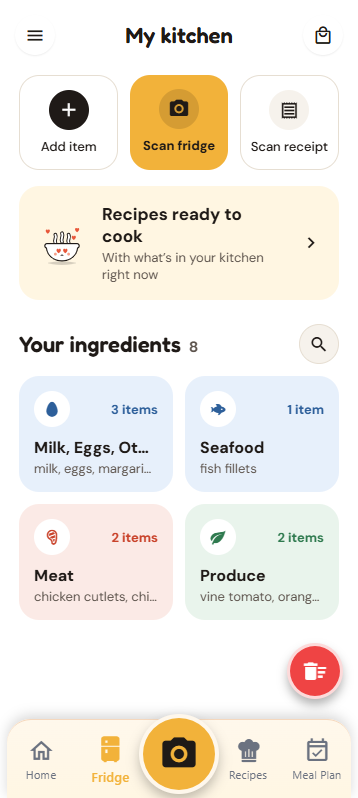
Scan your fridge
Point your camera at your shelves or a grocery receipt. Cookyfai lists what you have, so less goes to waste.
Cook with what you have
Recipe ideas that use your ingredients, filtered for your diet, your time and how spicy you like it.
Snap your plate
Take a photo of any meal to estimate its calories, protein, carbs and fat in seconds.
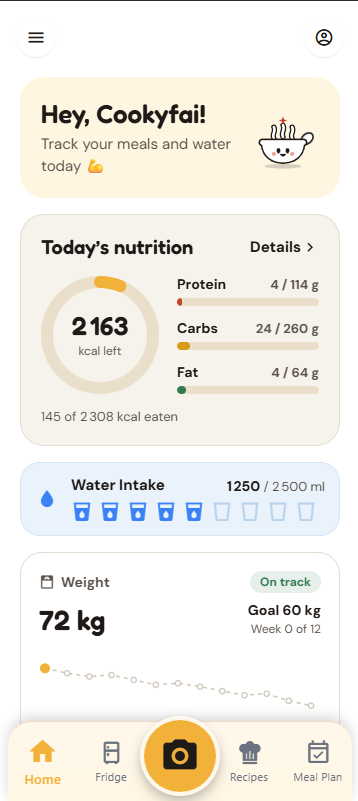
Track food and water
Daily goals, macro charts, weekly trends and a water tracker on one simple dashboard.
Recipes & meal plans
Dinner ideas that start with your fridge
Every recipe shows what you already have and what's missing, so you know before you start cooking. When you want the whole week sorted, turn them into a meal plan built around your goals, diet and fridge.
- “Ready to cook” and “2 missing” at a glance
- Step-by-step cards you can follow at the stove
- A weekly meal plan picked for your goals and fridge
- Missing items go straight to your shopping list
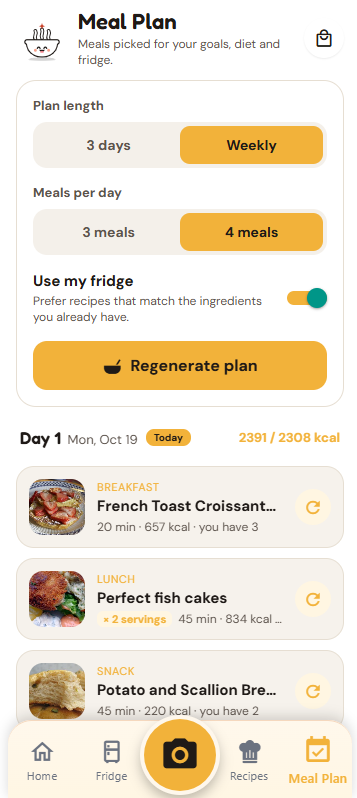
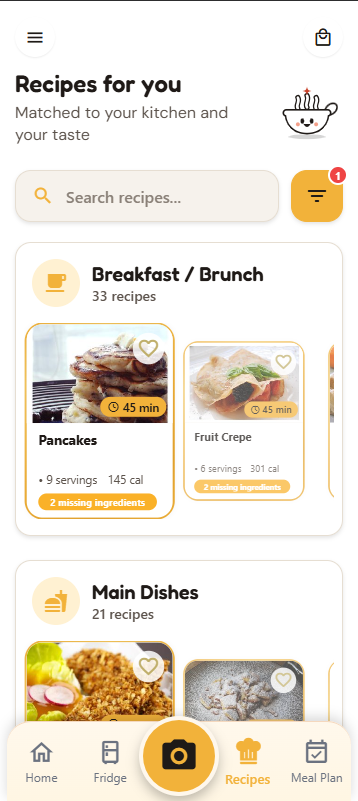
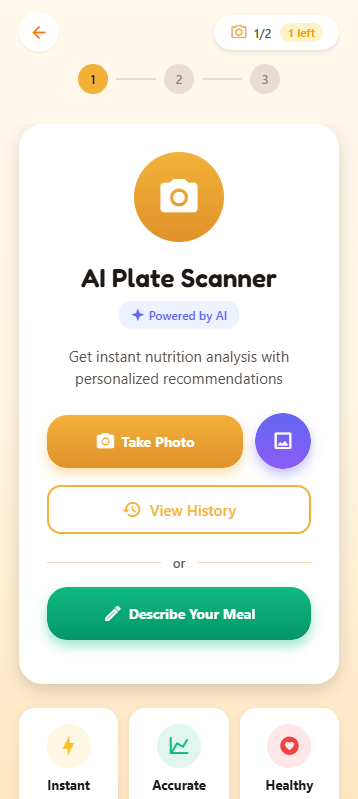
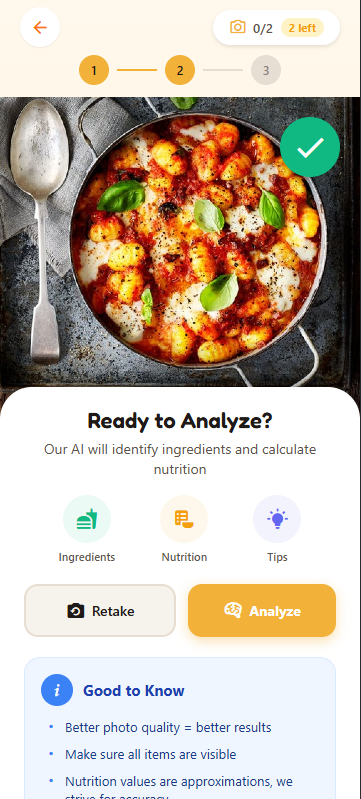
Plate scan
Snap your plate, see the macros
Cookyfai spots each ingredient in your photo and adds up calories, protein, carbs and fat. Check the list, adjust a portion, and it's in your food diary.
Numbers are estimates to guide you, not medical advice.
Progress
Stay on track without a spreadsheet
Set a goal once. Cookyfai turns it into daily calories and macros, keeps count as you cook and scan, and shows how your week is going.
Today's nutrition
How it works
Set up in two minutes. Eat better all week.
Tell Bowl how you eat
Your diet, allergies, favourite cuisines, spice level and how long you like to cook.
Get your plan
Daily calorie and macro targets, plus recipes picked for you and what's in your fridge.
Cook, snap, repeat
Cook from your fridge, scan your plate and watch your week come together.
Fits the way you eat
Allergies are filtered out of every suggestion.
Pricing
Free to start. Premium when you're ready.
Free
$0forever
- Recipe discovery and diet filters
- Calorie, macro and water tracking
- 2 plate scans a day
Premium
3 days freeof Premium, on us
- Unlimited fridge and plate scans
- Weekly meal plans for your goal
- Advanced analytics and exclusive recipes
- No ads
After the trial: $59.90 a year or $5.99 a month. Cancel anytime.
Questions, answered
Yes. Downloading Cookyfai and using recipes, diet filters and tracking is free. Premium unlocks unlimited scans, weekly meal plans and advanced analytics, with a 3-day free trial.
Point your camera at your shelves or snap a grocery receipt. Cookyfai recognises your ingredients and uses them to suggest recipes you can actually make.
Vegetarian, vegan, pescatarian, halal, keto and low-carb, gluten-free and more. Set your allergies once and they're filtered out of every suggestion.
Plate scans estimate calories and macros from a photo so you can track quickly. They're guidance, not medical measurements — you can always adjust a portion.
Your data is yours. We don't sell personal information, and you can export or delete your account and data from the app at any time.
Manage or cancel anytime from your device's subscription settings (iOS: Settings → Subscriptions; Android: Google Play → Payments & subscriptions). You keep Premium until the end of your billing period.
Still stuck? Visit the help centre
Dinner's sorted.
Get Cookyfai.
Free on iPhone and Android.